
Granny Mod APK
Latest Version Android
Explore Granny Mod APK — the latest Android build, mod features, installation guide, updates, system requirements, fixes and gameplay details, all in one place.

Granny Mod APK App Information
Get the important details at a glance — the current version, file size, Android requirement, developer information and mod features of Granny Mod APK.
Granny Mod APK
Mod Menu & Unlocked Extras
What Is Granny Mod APK?
Granny Mod APK is an unofficial modified Android build of Granny, the survival-horror escape game by DVloper. You wake up locked inside a creepy old house and have 5 days to escape — while Granny hunts you by every sound you make. Drop something, and she hears it.
The modified build adds an in-game mod menu with options such as god mode, freezing Granny in place, unlimited ammo and no ads. The core escape gameplay stays the same: find keys, solve puzzles, stay quiet, and get out before the 5 days run out. Because it is distributed outside Google Play, it is not the developer-supported version — verify the source, permissions and version details before installing.
 ORIGINAL VS MOD
How Granny Mod APK Works?
Granny Mod APK is an unofficial modified build of the original Android game. The mod menu changes how you experience the escape — but each build can differ, so review its listed features, version details and permissions before installing.
Get the APK
Download only the exact version you intend to install, and verify the source before opening the file.
Install It
Android may ask for permission to install an app from outside the Play Store before the APK can be installed.
Open the Game
Launch the installed build and check that the game starts correctly before relying on any advertised mod feature.
Check Mod Features
Open the mod menu inside the game and confirm which options your build actually includes — they can vary.
Update Manually
Unofficial builds do not update through Google Play, so newer files need a manual install over the old one.
Play & Review
Use the game normally, keeping in mind that stability and features can differ between builds.
Granny Mod APK Key Features
Explore the main features commonly associated with Granny Mod APK. Exact behavior can vary by version — always check the specific build you install.
Mod Menu
A built-in mod menu lets you toggle every cheat from inside the game. Turn options on or off at any time — no need to reinstall or edit files. It is the control center of Granny Mod APK.

God Mode
God mode makes you immune to Granny's attacks, so a caught moment no longer ends your run. It is ideal for learning the house layout, item locations and escape routes without the pressure of day limits.

Freeze Granny
Freeze Granny stops her in her tracks, giving you free time to search rooms, grab keys and solve puzzles. Explore every corner of the house at your own pace with zero risk of being caught mid-search.
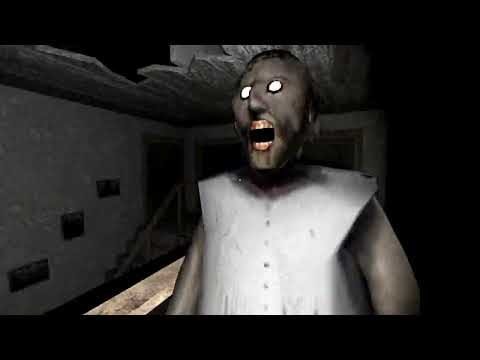
Unlimited Ammo
Never run dry on shotgun shells or tranquilizer darts again. With unlimited ammo you can knock Granny out whenever she gets close, keeping every escape attempt relaxed instead of tense.
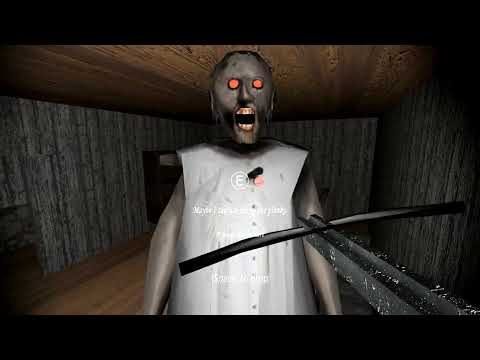
Unlocked Weapons
Get easier access to the game's defensive tools from the start. Depending on the build, weapons and useful items may be available earlier than in the standard progression.
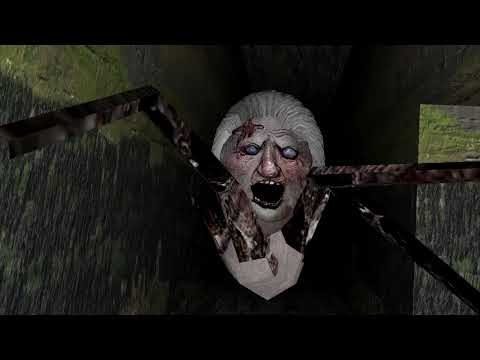
No Ads
An uninterrupted horror session. The modified build removes advertising breaks, so nothing pulls you out of the atmosphere between days — just you, the house, and Granny.
Granny Mod APK Screenshots
Take a closer look at Granny Mod APK — the haunted house, the escape tools and the mod menu — through sharp in-game screenshots. Tap any image to zoom.
Inside the Haunted House
Dark corridors, creaking floors and hiding spots — the house is the real enemy.
Mod Menu Control
Toggle god mode, freeze Granny and more from one simple menu.
Escape Gameplay
Search rooms, find keys and solve puzzles before the 5 days end.
Face Granny
She hears everything — stay quiet or freeze her in place.
Weapons & Tools
Shotgun, tranquilizer and traps to slow her down.
Horror Atmosphere
Creepy visuals and sound design that keep you on edge.
Granny Original vs Mod APK
Compare the official Google Play release with an unofficial modified build across progression, updates, support, installation and commonly advertised mod features.
Original Version
Official game distributed through Google Play.
Mod APK Version
Unofficial third-party modified build.
Download Granny Mod APK Android
Get quick access to Granny Mod APK for Android. Review the latest app information, installation steps, updates and gameplay details before installing. For the developer-supported release, use the official Google Play listing.
Last checked: October 2026 — the download above serves the latest Granny Mod APK build listed on this page.
V1.8.12 • ~204 MB
How to Download & Install Granny Mod APK
Install Granny Mod APK in a few simple steps.
Check Device Requirements
Make sure your Android device runs Android 7.0 or higher and has at least 500 MB of free storage.
Download the Mod APK
Tap the Download button and wait until the ~204 MB file is fully saved on your device.
Uninstall the Original First
Remove the Play Store version of Granny — the mod cannot install over it because of a signature conflict.
Enable Unknown Apps
Open Android Settings and allow your browser or file manager to install apps from unknown sources.
Install the APK
Open the downloaded file, tap Install, and wait for the installation to complete.
Launch & Enjoy
Open Granny Mod APK after installation, review the requested permissions, and toggle mod options from the in-game menu. That's it!
INSTALL SCREEN
System Requirements for Granny Mod APK
Make sure your device meets the minimum requirements for smoother gameplay, better stability and a more reliable overall experience.
Android Version
RAM
Free Storage
Processor
Internet Requirement
Device Compatibility
Best Experience Checklist
These settings are not mandatory, but they can help the game feel smoother and more stable on supported devices.
Latest Version
Updates
Granny Mod APK builds are refreshed to keep the mod menu working with the newest official game version. The latest build on this page is V1.8.12 — always check the version details before installing a new file.
What's New
Recent builds keep the mod options aligned with the latest official game content.
- Mod menu updated for the current game version
- Better in-game stability and balance
- Improved overall player experience
Performance Updates
Stability and optimization improvements make the game feel smoother on supported devices.
- General bug fixes and refinements
- More stable gameplay behavior
- Better responsiveness during play
Update Reminder
Always review the version details before installing a new file or replacing an existing build.
- Check version information first
- Read file details before installing
- Confirm compatibility with your device
Important Note
Official game updates and mod features are different things. Features included in a modified build may depend on the specific APK file available for download. Always check the version information before installing a third-party build of Granny Mod APK.
Pros and Cons of
Granny Mod APK
Like any modified game, Granny Mod APK has its own advantages and disadvantages. Here's a balanced look to help you decide before using an unofficial modified build.
Pros
Reasons some players may choose a modified version.
Cons
Important things to consider before downloading.
Is Granny Mod
APK Safe?
Granny Mod APK can be safer to use when the file comes from a trustworthy source and basic precautions are followed. However, because it is an unofficial modified version, it can still involve security, privacy or compatibility risks.
Download from Trusted Sources
Use a source you trust and confirm the file details before installing any third-party APK.
Check App Permissions
Review the permissions requested during installation and avoid files that ask for access unrelated to the game.
Scan with Antivirus
Scan the APK with a reputable security tool before opening or installing it on your device.
Keep a Backup
Back up important game data and device files before installing unofficial software.
Understand the Risks
Modified software can behave differently from the official app and may introduce unexpected issues.
Official vs Modified
The official version offers developer support and store-managed updates, while modified builds are unofficial.
Play Safe, Stay Secure
Follow basic safety checks and verify the APK source, version, permissions and file integrity before installing Granny Mod APK.
Troubleshooting Granny Mod APK
Facing issues with Granny Mod APK? Here are some common problems and practical checks that may help you get the game working properly again.
APK Not Installing
The APK file does not install on your device.
App Crashing
The game opens but closes after a few seconds.
Black Screen
The game launches but only shows a black screen.
Game Not Opening
The app does not start after installation.
Update Problem
A newer version is available but will not install correctly.
Storage Issue
There is not enough free space to install or run the game.
Compatibility Issue
The game is not compatible with your device.
Parse Error
Android shows "Parse error" when opening the file.
How to Update Granny Mod APK
Keep your game updated to access the latest improvements, fixes and supported features. Follow the steps below to update Granny Mod APK on your Android device.
Check Your Current Version
Open the game and check the installed version from the settings or main menu before downloading anything new.
Backup Your Data
If possible, back up your game progress or important data before replacing the current app version.
Download Latest APK
Get the latest available APK from a source you trust and confirm that the file version matches the update you want.
Install the Update
In many cases, the newer APK can be installed over the existing app. If installation fails, compatibility or signing differences may be the cause.
Launch & Verify
Open the game after installation and check the version number to confirm that the update was installed successfully.
Pro Tip
Compare the version number before installing so you do not replace a newer build with an older one.
Protect Your Data
Backups are useful because unofficial builds can behave differently and app data may not always transfer as expected.
Facing Issues?
If the update will not install, check storage, Android compatibility, and whether the new APK uses the same app signature.
Granny Mod APK for PC and iOS
Granny is primarily a mobile game, but PC users can play the Android version through an emulator. On iOS, use the official App Store release, as Android mod APK files cannot be installed directly on iPhone or iPad.
Play Granny
on PC
You can run the Android version of Granny Mod APK on a computer through a compatible Android emulator, giving you a larger display and desktop controls.
- Larger screen for a more spacious gameplay view
- Keyboard controls may be configured through the emulator
- Works on supported Windows or macOS emulator setups
- Android APK files can be installed inside the emulator
Granny
on iOS
iPhone and iPad users can play the official version of Granny from the App Store. Android mod APK packages are not compatible with iOS.
- Official iOS version available through the App Store
- Designed for supported iPhone and iPad devices
- Android mod APK files cannot be installed on iOS
- Official updates are delivered through Apple's store system
Latest Guides &
Articles
New Granny guides, fixes and explainers from the GrannyModAPK blog — controls, characters, the house map, speedruns and more. This list updates itself every time a new article is published.
This granny 3 items tier list ranks every useful item in Granny 3 from S to C by...
- Nov 24, 2026 · Read the guide →
If you have finished the original Granny, the question of granny 3 vs granny chapter two comes up...
- Nov 24, 2026 · Read the guide →
Every Secret Hiding in Granny’s House Granny’s house is full of things the game never tells you about....
- Nov 23, 2026 · Read the guide →
Why Chapter Two Needs Its Own Tips If you walk into Granny Chapter Two with your Granny 1...
- Nov 23, 2026 · Read the guide →
If you have escaped Granny’s house once, you know the feeling: the cutscene plays, and you want to...
- Nov 22, 2026 · Read the guide →
The granny chapter two update has arrived — the first new content for DVloper’s horror sequel in five...
- Nov 22, 2026 · Read the guide →
Granny Mod
APK FAQs
Find quick answers to common questions about installation, updates, safety, compatibility, PC, iOS and general use of Granny Mod APK.
Need More Help?
Check the platform-specific pages or browse the guides for more detailed instructions and troubleshooting tips.
Granny Mod APK is an unofficial modified Android build of Granny, the survival-horror game by DVloper. You wake up locked in a creepy old house and have 5 days to escape while Granny hunts you by sound. This modified build adds an in-game mod menu with options like god mode, freeze Granny, unlimited ammo and no ads, without changing the core escape gameplay.
Granny Mod APK can be safe when the file comes from a source you trust and you scan it before installing. This build asks only for standard game permissions, needs no root access, and runs fully offline, so it cannot contact outside servers. Because it is an unofficial modified build, always verify the version details and file integrity first.
Download the APK file, uninstall the original Granny first (the mod cannot install over it), then open Android Settings and allow your browser or file manager to install unknown apps. Open the downloaded file, tap Install, and launch the game. The whole process takes a few minutes and needs no root.
Yes. Granny Mod APK is signed with a different certificate than the Play Store version, so Android will refuse to install it over the original. Uninstall the official game first — note that this deletes your local progress, so finish anything important beforehand.
Yes. Granny is a single-player offline game and Granny Mod APK works without any internet connection after installation. You only need a connection for the initial download — after that, airplane mode is fine.
No. Granny has no accounts, no leaderboards and no online multiplayer, so there is nothing to ban you from. The mod only affects your own offline game.
No. Granny Mod APK is an Android package and cannot be installed on iOS. iPhone and iPad users should use the official Granny release from the App Store instead.
Yes, through an Android emulator such as BlueStacks or LDPlayer. Install the emulator on your Windows or Mac computer, drag the APK file into it, and play with keyboard and mouse. A computer with 8 GB of RAM or more gives the smoothest experience.
No root is required. Granny Mod APK installs like any normal APK and the mod menu works on completely stock, unrooted phones running Android 7.0 or higher.
Granny Mod APK does not update through the Play Store. When a new version is released, download the new APK from this page and install it over the old one — your settings carry over. Always check the version number before installing so you do not replace a newer build with an older one.
Get Granny Mod APK
Review the version details, device requirements and installation steps before downloading. Use the button to get the latest Granny Mod APK build for Android.