
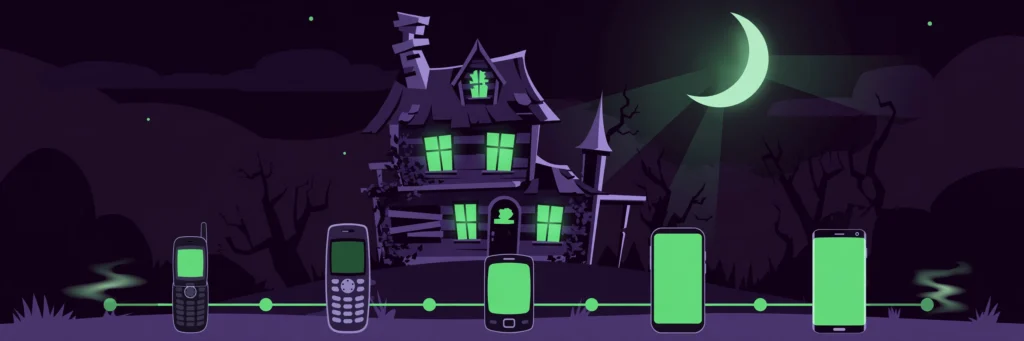
Granny Mod APK Old Versions: Every Release (v1.0–v1.8) Compared
If you are searching for a granny mod apk old version, you are usually trying to solve one of two problems: your phone is too old or too weak for the latest release, or you simply prefer how an earlier version of the game felt. Either way, picking the right old version matters far more than most players expect. Some early builds are missing entire mechanics, while some later ones demand more from your device than an ageing phone can give. This guide compares every major release from v1.0 through v1.8 and explains what actually changed between them.
The short answer: for most players, v1.8 is the best old version — the fullest classic experience, still lighter than today’s v1.8.12. Step back to v1.6 or v1.4 only if your phone struggles.
Why Would Anyone Want an Old Version?
The most common reason is device compatibility. Granny has grown over the years: bigger house areas, more items, more sound and animation work, and higher system requirements. On a phone with 2 GB of RAM or an older Android release, the latest build can stutter, crash on launch, or refuse to install at all. An older build, designed for the hardware of its time, often runs smoothly on it.
The second reason is preference: some players liked the simpler early house, the shorter puzzle chains, or the exact difficulty balance they first learned the game on. A third is troubleshooting — if the newest version crashes, testing an older build shows whether the fault lies with the game version or with your phone.
Finally, there is the mod angle. Mod builds are unofficial, community-made variants, and their features differ from one base version to the next — players sometimes hunt for a specific old build because that is the one a particular mod was made for.
What Counts as an “Old” Version?
Granny’s main line now sits at v1.8.12, so everything from v1.0 up to the plain v1.8 builds counts as old — nearly the game’s whole history, and the releases inside it are not interchangeable. A granny apk old version 1.0 and a granny 1.8 old version share the same core idea (escape the house in five days) but differ in house size, item count, escape routes, difficulty and system demands. The version history below shows exactly where those differences land.
Granny Mod APK Version History: What Changed in Each Release
v1.0 — The Original Release
The original build is the game at its simplest. One compact house, a small set of items, and the core loop of hide, search and escape, with five days to survive. There are no extra rooms, no second-floor complexity, and very few puzzles beyond the basics. Her patrols and reactions are also simpler and less refined than in later builds.
Who it suits: players on very old or very low-end devices, and anyone curious about how the game started — just expect far less game. Later-version players find v1.0 empty within an hour.
v1.1–v1.3 — Early Expansions
These early builds added items, hiding spots and small quality-of-life improvements. The house started to feel less like a single puzzle box and more like a place with options. Escape routes multiplied slightly, and the difficulty curve became fairer.
Who they suit: low-end devices that still struggle with later builds, and players who want a little more variety than v1.0 offers. Several mechanics modern players take for granted — extra floors, the car escape and many later items — are still absent here.

v1.4–v1.6 — The Game Finds Its Shape
Between v1.4 and v1.6, Granny became recognisably the game most people remember. The house gained rooms and vertical space, the item set grew substantially, and the escape options became genuinely varied. Sound design and Granny’s behaviour also improved, which made stealth feel more responsive and rewarded careful play over luck.
Who they suit: the sweet spot for many older phones — most of the classic experience without the final builds’ heaviest demands. If your phone handles v1.6 well but chokes on v1.8, stop stepping back here.
v1.7–v1.8 — The Mature Game
The v1.7–v1.8 range is the closest thing to the modern game while still counting as “old”. These builds include the expanded house, the full item set of their era and refined puzzles. For most players looking for a granny apk old version download, v1.8 is the default recommendation — provided their device can run it.
Who it suits: anyone whose phone is only a few years old, or who wants the fullest classic experience. If v1.8 runs well, there is rarely a gameplay reason to go any older.
Old Versions at a Glance: Comparison Table
| Version | House & content | Escape options | Performance on a 2 GB RAM phone | Best for |
|---|---|---|---|---|
| v1.0 | Smallest house, fewest items | Door escape only, basic puzzles | Excellent — runs on almost anything | Very old devices, nostalgia, history |
| v1.1–v1.3 | Slightly bigger, more hiding spots | Door escape, a few more routes | Very good | Low-end phones wanting a bit more game |
| v1.4–v1.6 | Expanded house, most classic items | Varied escapes, richer puzzles | Good — the balance point | Older phones that want the classic experience |
| v1.7–v1.8 | Near-complete classic game | Full classic escape set | Fair — needs a reasonably capable phone | The fullest old-version experience |
| Latest (v1.8.12) | Complete current game | All current escapes and content | Heaviest — may stutter on old hardware | Everyone whose device can run it |
Old Version vs Latest Version: The Honest Trade-Off
- Runs on old phones: old versions, clearly — the lighter the build, the smoother it plays on weak hardware.
- Full content: latest version only. Earlier builds miss whatever was added after them.
- Bug fixes: latest version. Old builds keep the crashes and glitches that later releases fixed.
- Security: latest version. Older code is no longer patched, which matters most for unofficial mod files.
- Mod features: varies by build — a mod targets a specific base version, so the features you want may exist on only one release.
The pattern is simple: the older you go, the lighter the game gets — and the more content and fixes you give up.
How to Install an Old Version Safely: Step by Step
- Back up your progress first. Different versions do not always read each other’s save data, and downgrading can wipe your progress entirely.
- Uninstall the current version. Installing over a newer build is a common cause of crashes and corrupted data — remove the existing game first.
- Get the file from a source you trust. Mod APKs are unofficial files. Avoid bundles that push extra apps alongside the game.
- Scan the file before installing. Use your phone’s built-in security scan or a reputable antivirus — old, unpatched code deserves extra caution, not less.
- Install and test one full in-game day. Play a single day before committing to a long run, to confirm the build is stable on your device.
- If it crashes, step back one rung, not five. Move from v1.8 to v1.6 before jumping to v1.0; small steps find the newest build your phone can handle.
If you play on a computer instead, the Granny Mod APK for PC guide covers the emulator route, which sidesteps most old-phone problems entirely. iPhone players should check the Granny Mod APK for iOS page, since old-version options work very differently outside Android. More help lives in our guides section.
The Risks of Running an Old Version
Honesty matters here. Old versions carry real downsides:
- Unpatched bugs. Crashes and glitches fixed in later releases are still present in old builds.
- Security exposure. Older code no longer receives patches. Mods are unofficial by definition — install at your own risk, from trusted sources only, and scan everything.
- No support. If an old build breaks on a new Android version, no fix is coming. Our disclaimer explains more.
- Missing features. Anything added after your chosen version simply does not exist in it.
- Save incompatibility. Progress made in one version may not carry to another, in either direction.
None of this means you should never use an old version — just do it knowingly, on a device where the trade-off is worth it.
How to Pick the Right Old Version for Your Phone
Follow this simple decision path:
- Try the latest version first. If it runs fine, you do not need an old version at all — grab the current build from the Granny Mod APK download page.
- If it crashes or lags, step back to v1.8 — most content, fewer demands.
- Still struggling? Try v1.6, then v1.4.
- Only go to v1.0–v1.3 for very old hardware or nostalgia. Do not start there by default.
- Check your Android version and free storage before blaming the game — no version change will fix low storage.
Frequently Asked Questions
Which Granny old version is best for a phone with 2 GB of RAM?
Start with v1.6. It keeps most of the classic house, items and escapes while staying light on 2 GB devices. If v1.6 still stutters, step down to v1.4, and drop lower only for genuinely very old phones.
Is it safe to download a Granny Mod APK old version?
A mod is an unofficial file, so no download can be called completely safe. Reduce the risk: trusted source, scan before installing, and refuse bundles that push extra apps. Install at your own risk — if safety matters most, the official latest release is the safer choice.
Can I have an old version and the latest version installed at the same time?
Not normally — both builds share the same app identity, so Android treats the second install as a replacement, not a separate app. Installing one over the other can also corrupt save data, so back up your progress and uninstall the current build before switching.
Why does my old version crash on a newer phone?
Old builds were written for older Android releases. Newer systems change permissions, storage rules and graphics behaviour, and unpatched code cannot adapt. If an old build refuses to run on a modern phone, the practical fix is the latest version, not an even older one.
Does the v1.0 old version have the car escape?
No. The earliest builds centre on the main door escape with a small item set. The car escape and expanded escape routes arrived in later versions — one of the biggest content differences between v1.0 and the v1.4–v1.8 range.
Where should I start if I am not sure which version my phone can handle?
Start from the Granny Mod APK homepage with the current build, then step backwards one version range at a time using the decision path above. Testing newest-first finds the most complete version your phone can run.
Conclusion: Which Granny Mod APK Old Version Should You Choose?
For most people searching for a granny mod apk old version, the answer is v1.8 — the fullest classic experience that still counts as an old release. Step back to v1.6 or v1.4 only if your phone needs it, and treat v1.0–v1.3 as nostalgia or last-resort options for very old hardware.
Old versions are a tool, not a lifestyle. Use them to keep a beloved game playable on the phone you actually own — and when your device gets upgraded, move back to the latest build, where the complete, patched game lives. Start from the Granny Mod APK homepage whenever you are ready to pick your version, and if you have questions about a specific build, reach us at contact@grannymodapk.com.